
Rivals FPS: Online Shooter
Shooting Games
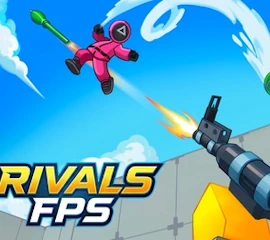
Rivals FPS: Online Shooter
Shooting Games

Report this game to the editor
Rivals FPS: Online Shooter?
Thank you!
Your report has been received. We will look into it as soon as possible.

























Rivals FPS: Online Shooter
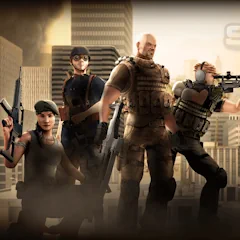
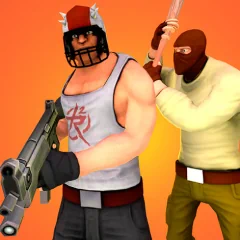
Rivals FPS: Online Shooter is a fast-paced multiplayer FPS that you can play directly in your browser. With colorful 3D graphics, simple controls and competitive gameplay, it offers a different take on the classic first-person shooter experience. Jump into the arena from your computer or mobile device and challenge other players in quick online battles.
When the lobby reaches 8 players, a map voting phase begins. Players vote for their preferred map, and the map with the most votes becomes the battlefield for the next match.
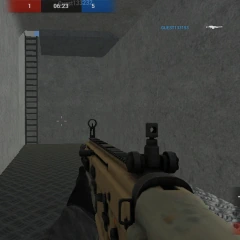
Before entering the arena, you can prepare your loadout by selecting a rifle, pistol and grenade. Once the match starts, every successful elimination earns you points. When the timer runs out, the player with the highest score wins the match.
With short and dynamic matches, you can quickly get into the action and compete across different maps.
How to Play Rivals FPS: Online Shooter
There are two different game modes to choose from. In Deathmatch, every player fights for themselves, and the goal is to score as many eliminations as possible before the match ends. If you prefer a more direct challenge, the 1v1 mode lets you face another player in a one-on-one battle where aim and quick reactions can make all the difference.When the lobby reaches 8 players, a map voting phase begins. Players vote for their preferred map, and the map with the most votes becomes the battlefield for the next match.
Before entering the arena, you can prepare your loadout by selecting a rifle, pistol and grenade. Once the match starts, every successful elimination earns you points. When the timer runs out, the player with the highest score wins the match.
Colorful Graphics and Easy Gameplay
One of the things that makes Rivals FPS stand out is its combination of bright 3D visuals and easy-to-learn gameplay. You don't need complicated controls or a long tutorial to get started. The basic FPS mechanics are simple enough for new players while still providing fast-paced battles for experienced shooter fans.With short and dynamic matches, you can quickly get into the action and compete across different maps.
How to Play
- <h4>PC Controls</h4>The controls are familiar to players who have experience with popular first-person shooters:
- WASD: Move
- Mouse: Look around and aim
- Space: Jump
- C: Crouch
- E: Interact with objects
- SHIFT: Score
- <h4>How to Play on Mobile</h4>Rivals FPS: Online Shooter is also designed to work on mobile devices. Use the virtual joystick on the left side of the screen to move your character. Swipe on the right side of the screen to control the camera and look around the arena.
- Jumping and reloading can be performed using the virtual buttons displayed on the screen.
2 Player Games
Board Games
Brain Games
Brainrot Games
Bubble Games
Car Games
Card Games
Cooking Games
Dress Up Games
Fighting Games
Fire and Water Games
Football Games
Girls Games
Horror Games
IO Games
Makeup Games
Minecraft Games
Obby Games
Platform Games
Puzzle Games
Retro Games
Running Games
Skill Games
Snake Games
Sniper Games
Stickman Games
Surgery Games
War Games